
INVENTORY GUIDE
Uppdaterad
INVENTORY GUIDE
November:
- OFFLINE showroom stock (SE + NO + DE)
- ONLINE showroom stock (SE + NO + DE)
- FT-OFFLINE / HJORTERO / DHL stock (SE + NO + DE)
- SATELLIT (OPS)
December:
- Final inventory checks by OPS at Future
January:
- Main inventory check at Future by accounting firm PVC
FABRIC:
- We don't keep stock on the fabric of showroom-pillows
- We don't keep stock on the fabric Sweef-patch and the sofabed fabrics
HOW TO:
1. Excel INVENTORY document per stock
- Investigate the differences - has something been returned or sold from the wrong stock?
- Adjust these differences through Reclassification journals
2. PHYSICAL INVENTORY JOURNAL
- Open Physical Inventory Journal in BC
- Create a new batch if there isn't one - press ok
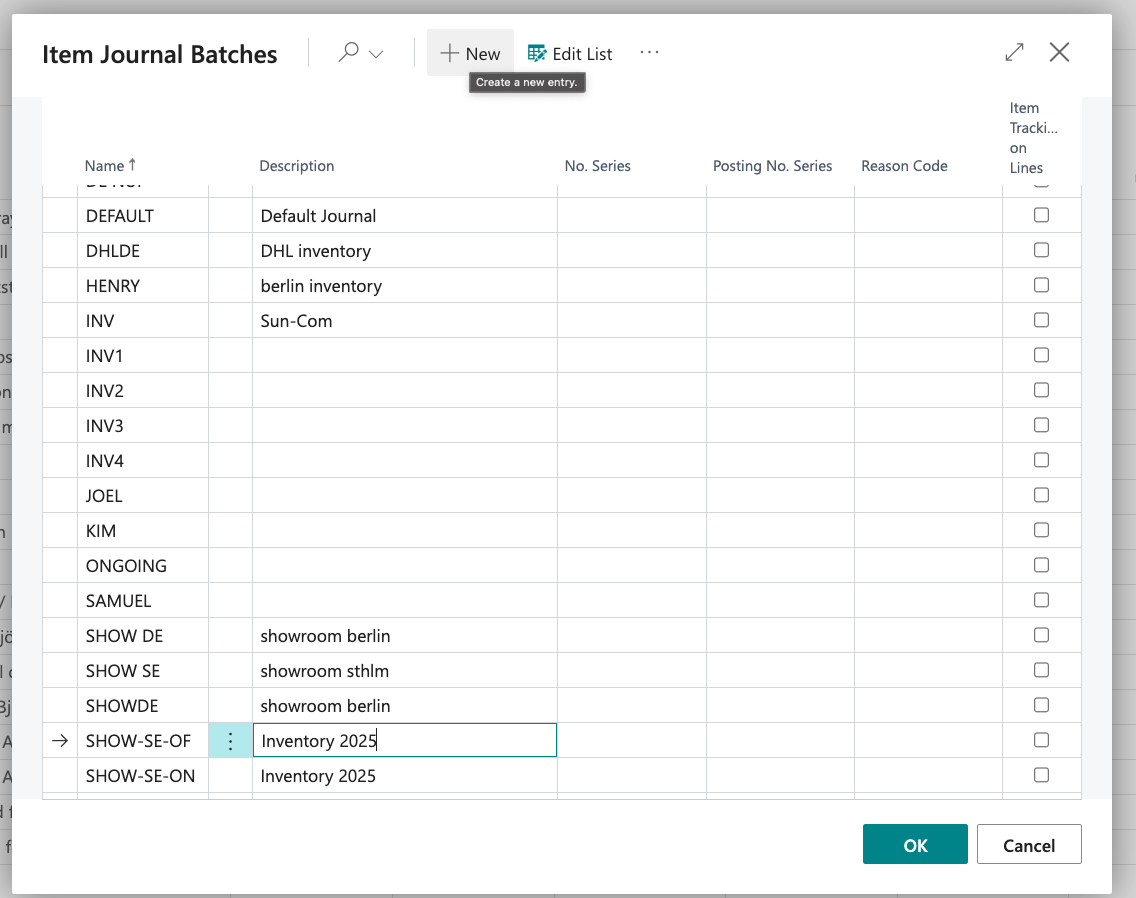
- Prepare ➡️ Calculate Inventory
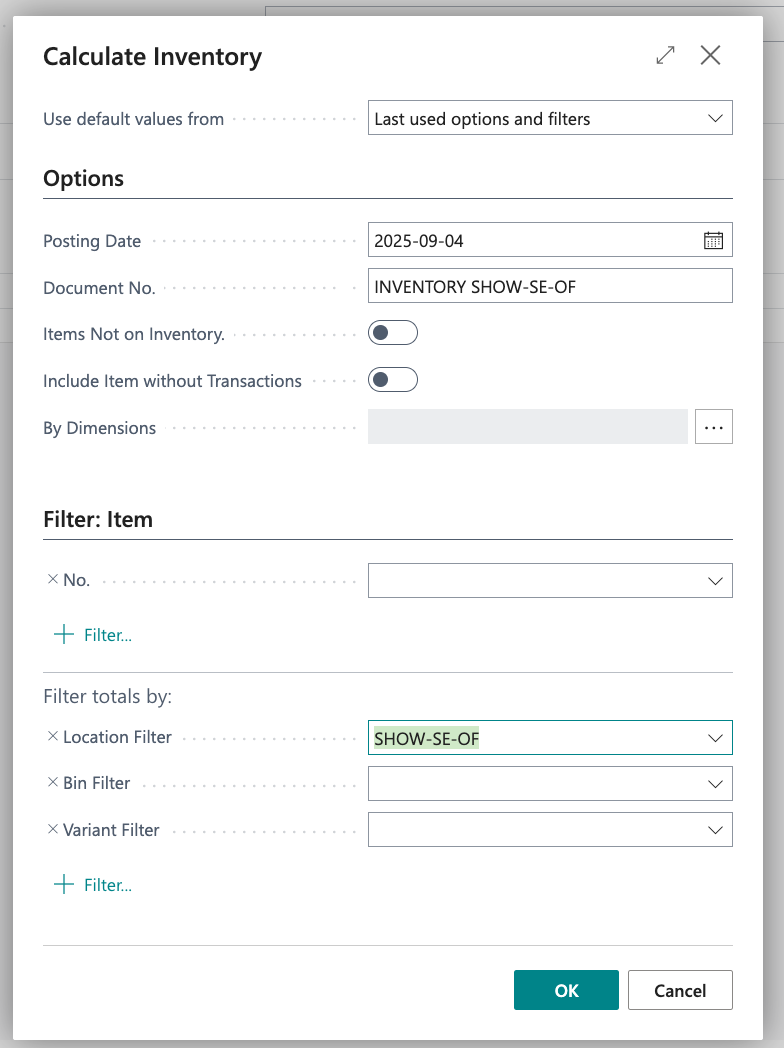
- Change posting date to the day you plan to post the journal
- Document number: Name it accordingly to task
- Do not tick the box "Items not in inventory" - that will add articles not in stock as well
- Choose stock
- Press ok ➡️ This will calculate the whole stock
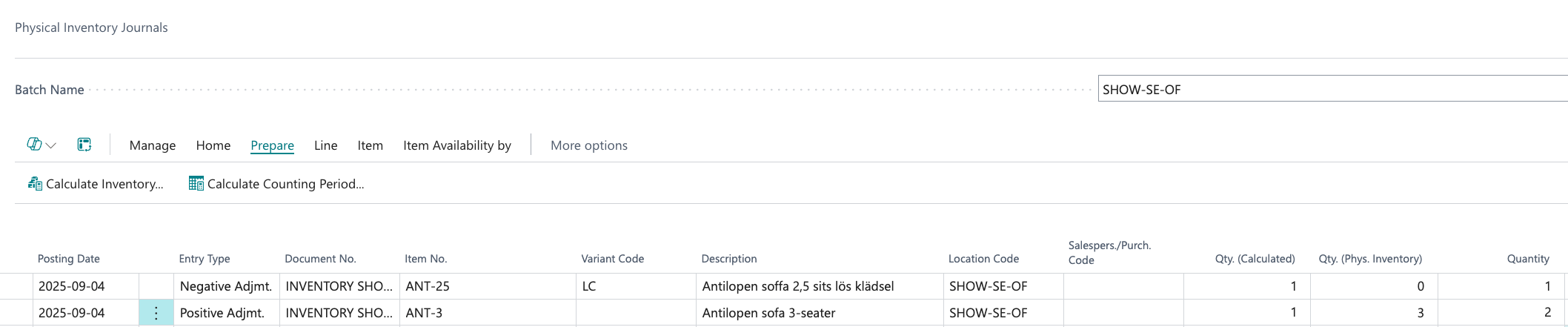
- Start comparing the excel document with the Inventory journal
- Fill in the accurate inventory number
Qty Calculated = BC stock
Qty Physical stock = What we actually found physically in stock
Qty = The number this item will be adjusted with (not the actual outcome of the adjustment)
- If there are products missing in the item journal (that are not registered in stock) - add them to correct stock by positive item journal
- Make sure the posting date is correct
- When every row is ready: Press Home ➡️ Post